What changed
A terminal was a place where you typed something and it answered. The loop was seconds long and you were in it the whole time. Every terminal on the Mac is still built for that person.
An agent works differently. You give it a job, it runs for minutes, it stops to ask you something, it runs again. You are not the one typing any more. You are the one watching, and deciding when you are asked. Run a few of them at once and the job becomes air traffic control.
Ultenix starts from that person. Everything below follows from it.
Knowing what a pane is doing
This is the part we built first, and it is the reason the rest exists.
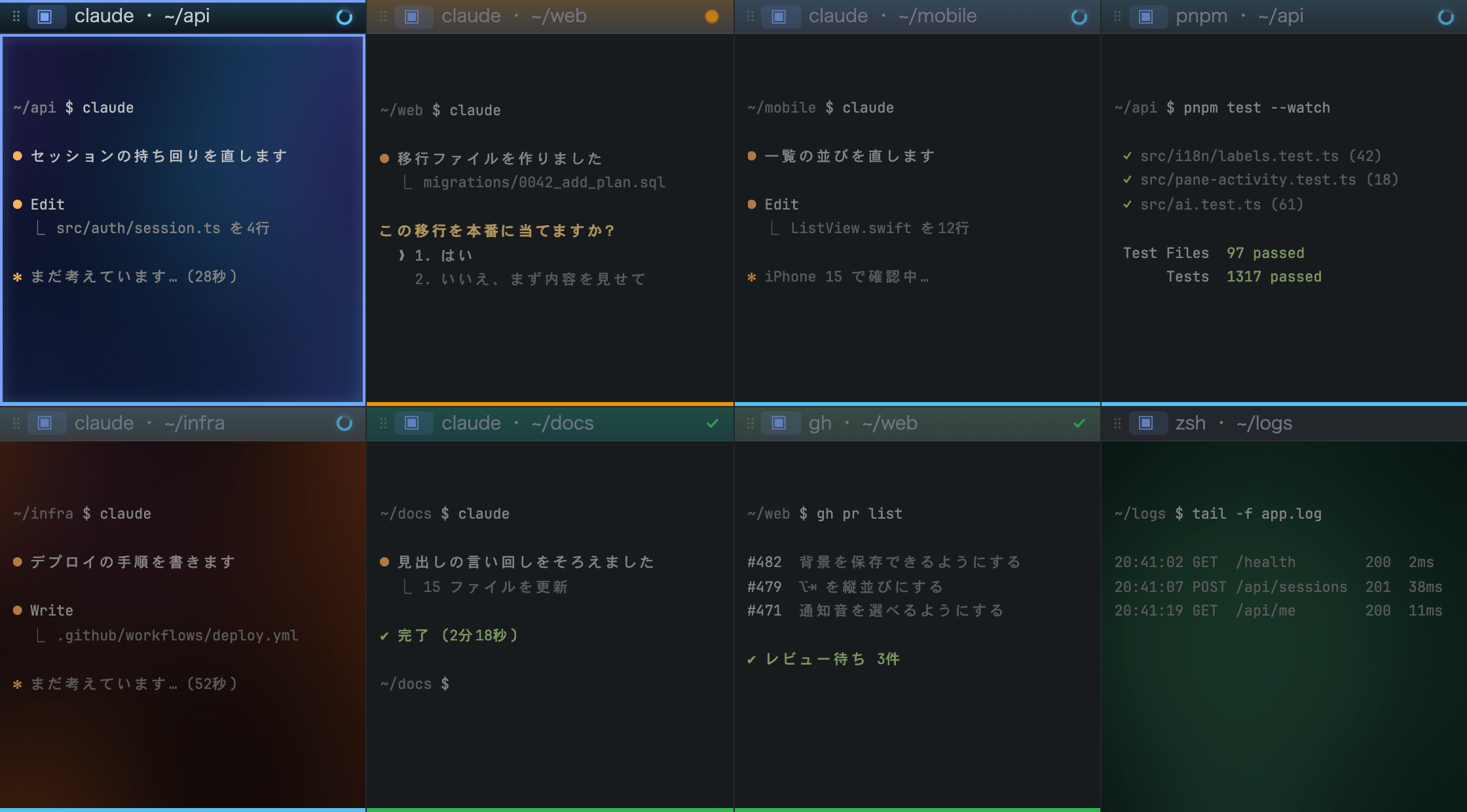
You cannot tell whether an agent is working by asking whether a process is in the foreground. A model waiting for your answer sits in the foreground exactly like a model that is thinking. So Ultenix reads the signals a command emits and whether output has arrived recently, and sorts every pane into four states: running, waiting for you, finished, and idle.
Each one has its own mark in the corner of the pane. Running is a ring that keeps turning. Waiting is a dot that pulses. Finished is a check. The distinction that matters is the second one, and as far as we can tell from the terminals we compared, no other terminal draws it.

Being told when you are needed
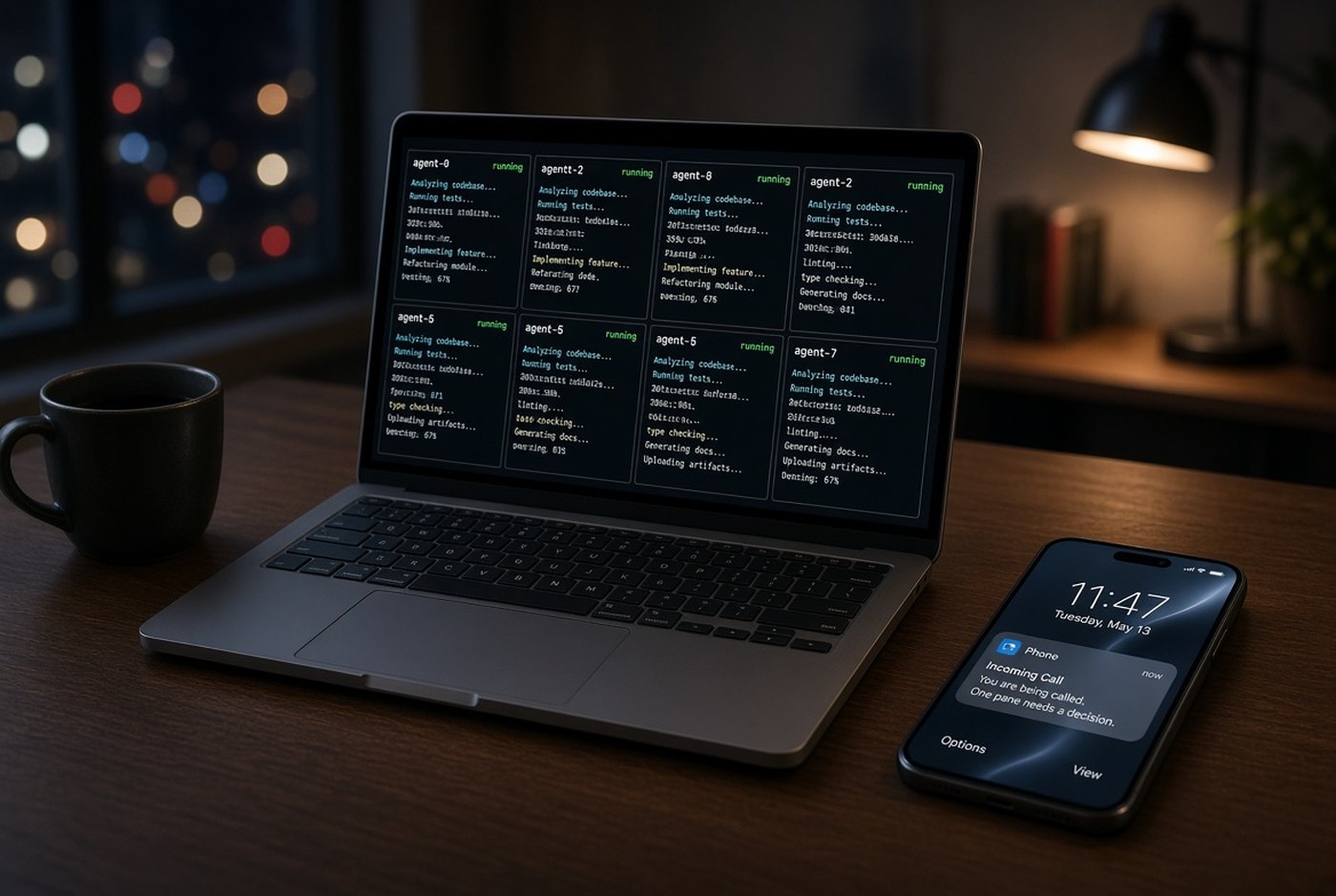
A mark on the screen only helps if you are looking at the screen. When an agent needs an answer, Ultenix notifies you, with a sound you choose. If you are not at the Mac, the notice goes to your iPhone, and you can answer from there and leave the agent running.
The point is not remote access for its own sake. It is that the wait should not be the thing that costs you the afternoon.
Holding eight of them at once
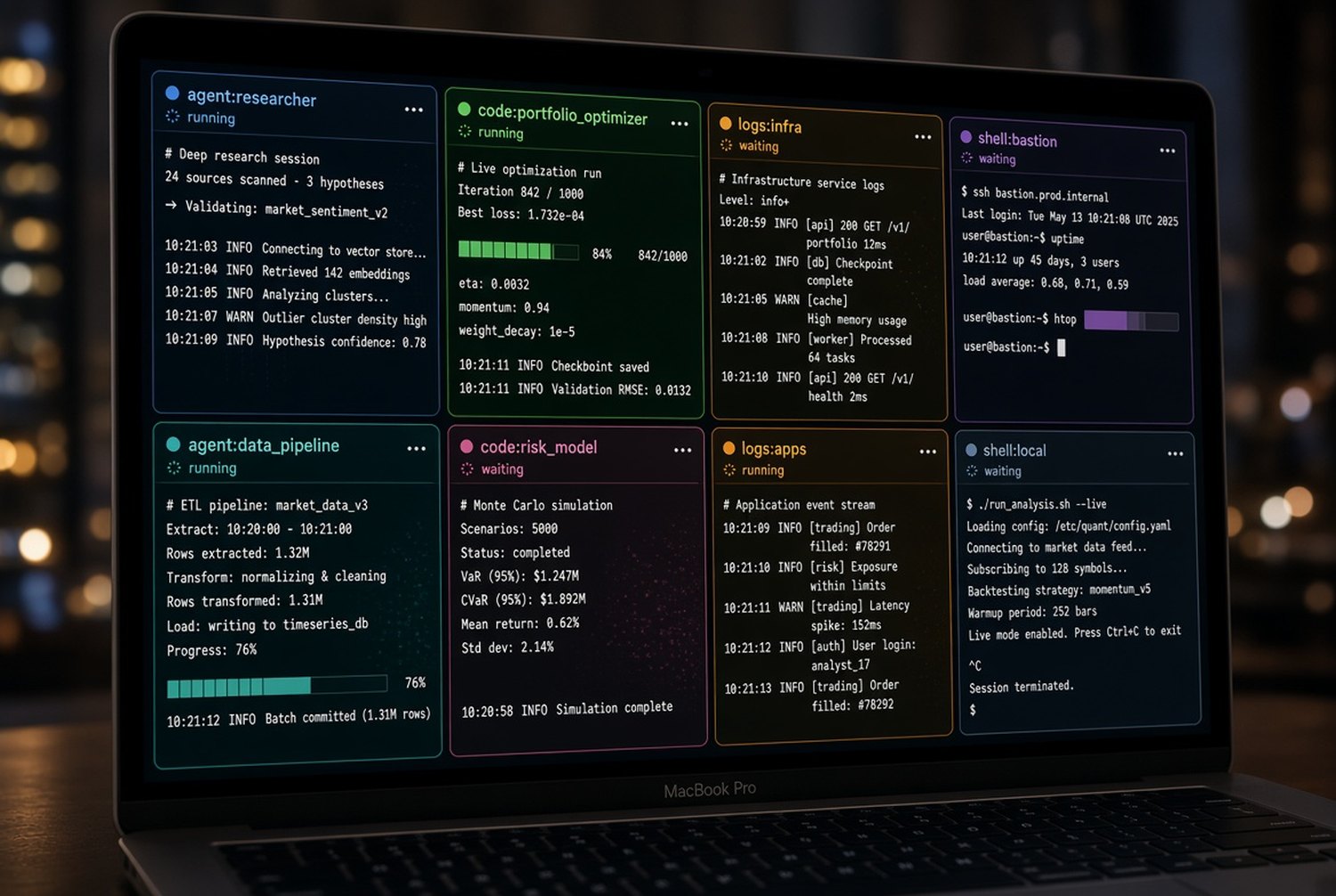
Splitting a window is easy. Reading eight live panes without losing your place is not. So each pane can carry its own profile, and its header and border take that profile's colour, and its background can differ too. Panes you are not in dim down. You can lend width from one pane to its neighbour, zoom one to full size with a key and back again, pick a layout from a list, and move panes around by key or by dragging.
One detail worth naming, because it is invisible when it works. The state marks stay in the page even when a pane is idle, and only their appearance changes. Adding and removing them every few seconds makes the browser engine rebuild the compositing layer underneath, and the whole pane flickers. Eight panes doing that is unusable. It took a while to find, and it is the kind of thing this product is made of.
When what you need is off screen, holding a key brings up every terminal you have, each with its icon, profile name, the job it is running, and its state.
Nothing you cannot undo happens by itself
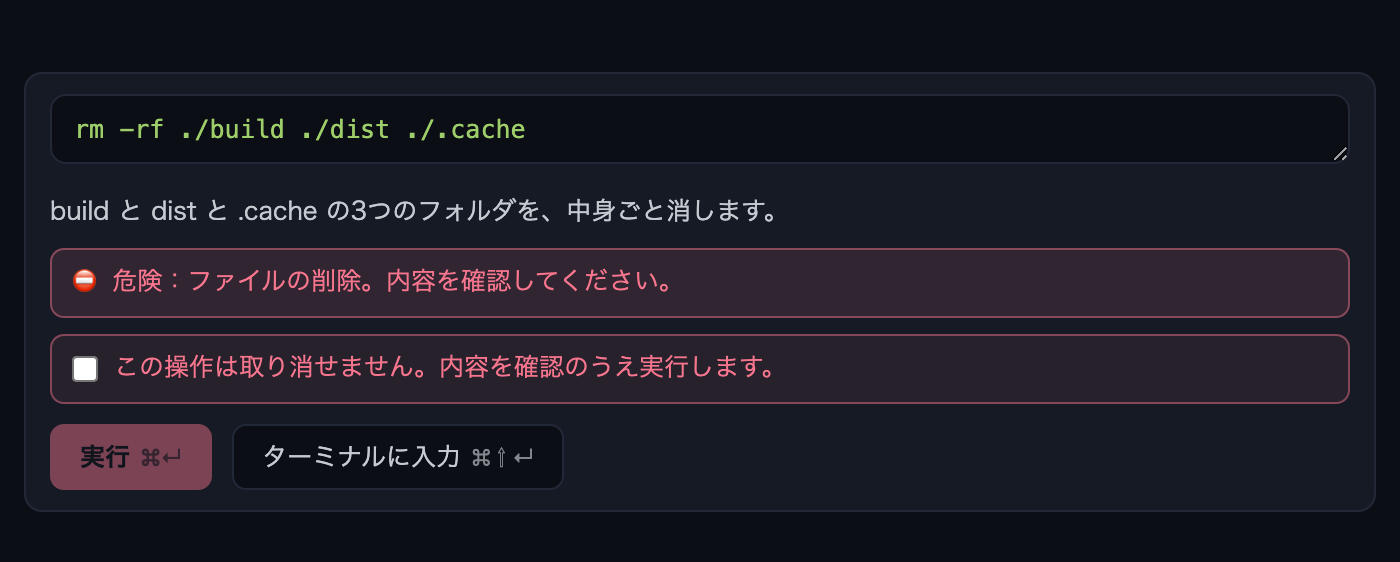
An agent proposes commands faster than you can read them. Deleting, overwriting, changing permissions: each one stops before it runs, with how risky it is stated plainly, and a person presses the button. Speed is worth a lot. It is not worth a directory.
In your own language
Ultenix runs in 32 languages. Terminals are in English because that is how they have always been, not because of anything technical. If you would rather ask for what you want in your own words, you should not have to translate yourself first.
In Arabic and Hebrew the interface lays itself out right to left.
What we decided not to build
We do not ship a model, and we do not hold the API key. You bring your own agent: Claude Code, Codex, a local Ollama, whatever you already run. If we held the key, your bill would depend on how much you use it, and we would spend our time managing inference instead of building the terminal.
We are not building an agent. Good ones already exist and they are getting better every month. Ultenix is the room they work in, and the place you stand to watch them.
What eight panes are actually doing
Two ways people run it. Both are real screens from the app.
A full stack engineer running several projects
One pane per project, edits running side by side. You step into the one that asked for you and leave the rest going. Tests and open pull requests sit on the same screen.
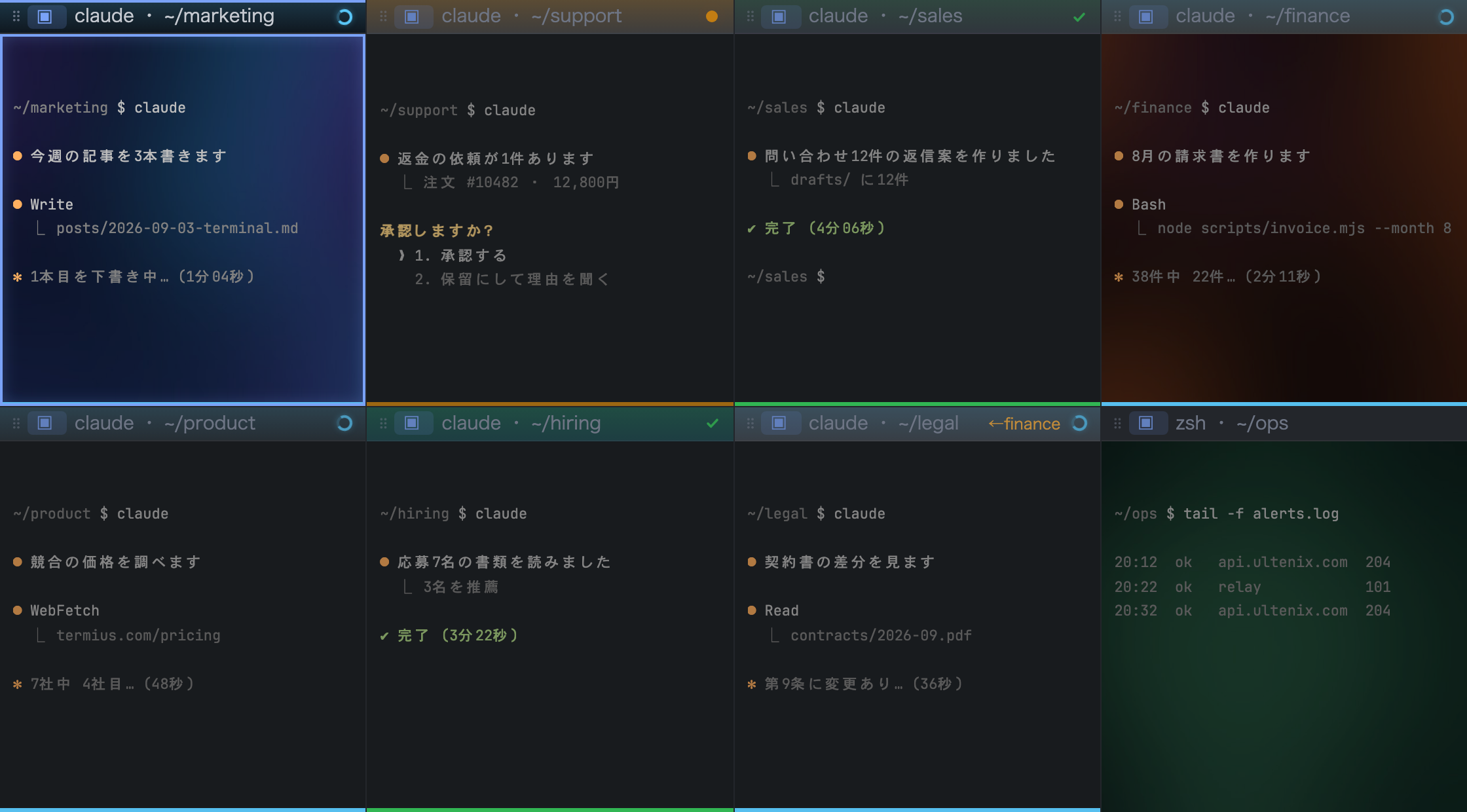
A founder running a company on agents
A pane per function: writing, sales, support, invoicing, research, hiring, legal, monitoring. The only thing left for a person is deciding whatever went to waiting.
So what is actually different
Most terminals that added AI added it so the AI can do the work. That is a different product from this one. Ultenix assumes the work is already being done by an agent you chose, and asks a narrower question: while that is happening, what does the person need to see, and when do they need to be interrupted.
Nothing here is magic. It is a terminal that is good at the ordinary things, plus the answer to that one question, in your language, on your Mac and in your pocket.